
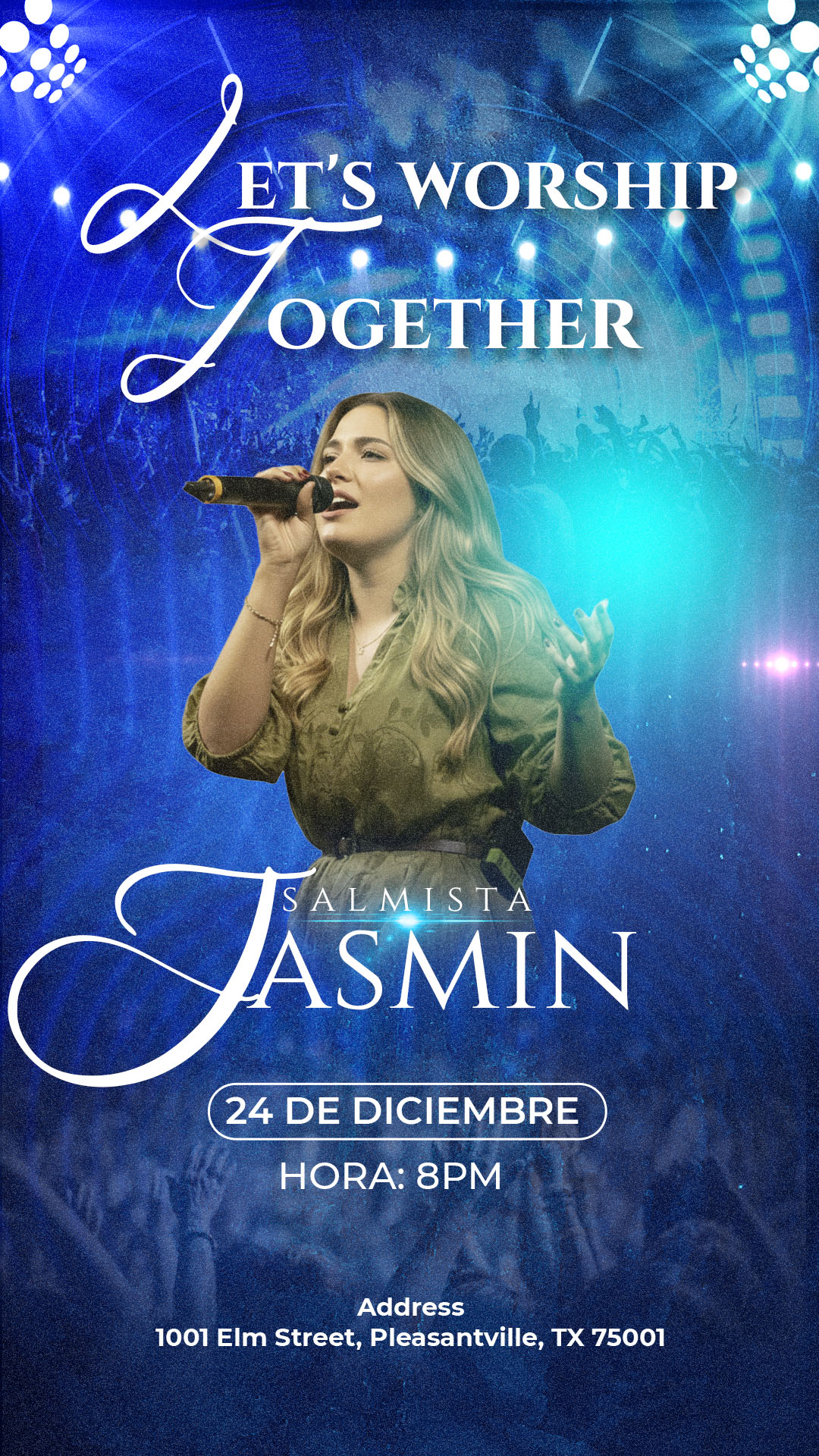
The announcement of your Sunday service must be clear, inspiring, and professional to invite your congregation and new visitors. If you searched for “Flyer para servicio dominical editable en canva y PSD,” you are looking for the most flexible solution on the market: a high-quality design available in dual formats. We offer a premium template that gives you the best of both worlds: the precision and detail of the PSD file for professional design, and the convenience of the Canva template for quick online updates. Whether you prefer the editing depth of Adobe Photoshop or the speed of Canva, this package ensures your church’s promotion is always impeccable.
¿Por qué elegir una plantilla editable PSD? (Why Choose Our Dual PSD and Canva Format?)
Opting for this dual package is the smartest strategy for your Sunday service communication, combining power and accessibility:
- Unlimited Professional Editing (PSD): Use the PSD file and Adobe Photoshop for total control over lighting effects, photo retouching, and color profiles for high-end printing. Ideal for the design team.
- Ease of Online Use (Canva): The Canva template is perfect for volunteers or pastors who need to update the sermon topic, time, and live stream link in a matter of minutes.
- Consistent Quality: Both formats maintain an elegant and serious aesthetic, with legible typography and defined spaces for the Word of God and event details.
Note: To utilize professional features and high resolution, the PSD file requires Adobe Photoshop to be installed. The Canva template works 100% online.
Características principales de esta plantilla PSD (Key Features of This PSD Template)
This template has been optimized for the effective promotion of your Sunday service in both formats:
- Reverent and Modern Design: A balance between seriousness and contemporary aesthetics to appeal to all generations.
- Modular Content: Clearly labeled layers for the time, sermon topic, speaker name, and location/link.
- Dual Adaptation: The design is pre-adapted to work well in both the layering interface of Adobe Photoshop and the drag-and-drop interface of Canva.
Cómo personalizar tu plantilla PSD (How to Customize Your PSD Template)
Follow these simple steps to adapt the high-resolution PSD file for your Flyer para servicio dominical editable en canva y PSD:
Descarga el Archivo (Download the File):
Download the compressed ZIP file containing the template from our resource bank.
Descomprímelo (Unzip It):
Extract the contents of the ZIP file. You will find the PSD template file, the link to the Canva template, and a crucial text document (.txt).
Abre el archivo PSD (Open the PSD File):
Open the main template file using Adobe Photoshop.
Instala la fuente (Install the Font):
Vital Step: The professional and legible fonts used in the design are not included in the file due to licensing. You must open the accompanying .txt document, which provides external links to download the necessary typefaces. You must install these fonts on your computer before editing the text layers in Adobe Photoshop. For assistance with the process, please ensure you open this video tutorial in a new tab:
Click here for the font installation video tutorial (Opens in a new tab)
Edita las capas y textos (Edit Layers and Texts):
Use the Layers panel in Adobe Photoshop to modify the message topic, preacher’s name, and logistical details of the Sunday service.
Guarda y exporta (Save and Export):
Save the final design as a PDF for high-quality printing or as an optimized JPG/PNG for digital promotion via social media.
Consejos (Tips)
- Cross-Promotion: Use the PSD version for printed announcements (newspapers, bulletins) and the Canva version for quick sending via WhatsApp and email.
- Central Message: Ensure the sermon topic is the largest and most visible element on the flyer.
- Speaker Photo: If including a photo of the speaker, ensure it is professional and conveys trust.
Preguntas frecuentes (FAQ)
Q: Can I use the PSD file if I only have the free version of Canva?
A: The PSD file requires Adobe Photoshop. However, the Canva template (also included in the package) is designed to work perfectly with the free Canva account.
Q: Can I change the color palette of the Canva template to match my church?
A: Yes. Both versions are 100% customizable, allowing you to adapt the colors to align with your ministry’s visual identity.
Q: Is the design compatible with projection screens?
A: Yes. Both formats are suitable for projecting service information on screens before or after the meeting.
Llamado a la acción para editar (Call to Action)
Optimize your church communication! Download the Flyer para servicio dominical editable en canva y PSD now and enjoy the flexibility of the dual format to announce your faith.
Download “#0452 Download in PSD format here” 0452.zip – Downloaded 110 times – 69.36 MB




