

Are you looking for a quick and easy way to create professional-looking flyers for your Sunday service? Canva’s customizable templates offer a wide range of options to design eye-catching materials that will attract new members and keep your congregation engaged. In this article, we’ll explore the benefits of using Canva for your Sunday service flyers and provide you with a step-by-step guide on how to create stunning designs.
Why Choose a Canva Editable Template for Your Sunday Service?
- Customization: Canva’s drag-and-drop interface makes it easy to personalize your flyers with your church’s branding, colors, and images.
- Variety: Choose from a vast library of pre-designed templates to find the perfect fit for your service.
- Accessibility: Canva is available on both desktop and mobile devices, allowing you to create and edit your designs on the go.
- Cost-effective: Many of Canva’s basic features are free, making it an affordable option for churches of all sizes.
Key Features of Canva’s Sunday Service Templates
- Professional designs: Canva offers a wide range of professionally designed templates that are perfect for religious events.
- Customizable elements: Easily change fonts, colors, and images to create a unique design that reflects your church’s style.
- Integration with other tools: Canva integrates with other design tools and apps, allowing you to streamline your workflow.
- Sharing options: Easily share your designs on social media or download them as high-resolution images or PDFs.
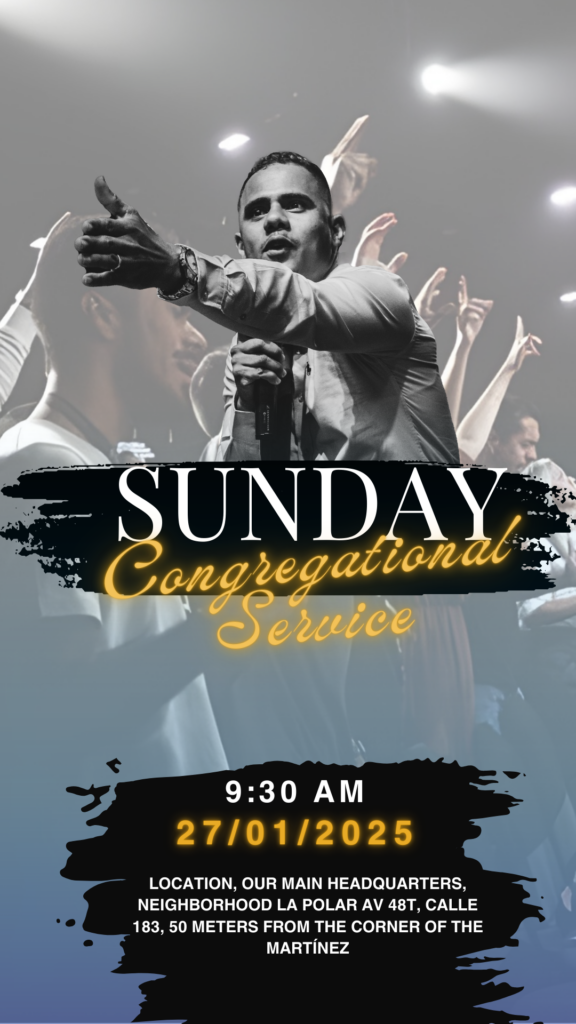
How to Customize Your Canva Template
- Select a template: Browse Canva’s extensive library of templates and choose one that best suits your needs.
- Open and edit: Once you’ve selected a template, you can easily customize it by adding your own text, images, and graphics.
- Save, share, or print: When you’re finished, save your design as a high-resolution image or PDF. You can also share it directly on social media or print it out.
Tips for Creating Effective Sunday Service Flyers
- Keep it simple: Use clear and concise language to convey your message.
- Use high-quality images: Choose images that are relevant to your church and that will grab attention.
- Call to action: Include a strong call to action, such as “Join us this Sunday!” or “Learn more at our website.”
- Proofread carefully: Check your design for any typos or errors before sharing it.
Frequently Asked Questions
- Is Canva free to use? Canva offers a free version with a wide range of features. For additional features and storage, you can upgrade to a paid plan.
- Can I use my own fonts and images? Yes, you can upload your own fonts and images to customize your designs.
- Can I save my designs for later? Yes, you can save your designs to your Canva account and come back to edit them later.
Ready to create your own stunning Sunday service flyer? Start designing now with Canva’s free templates!




