
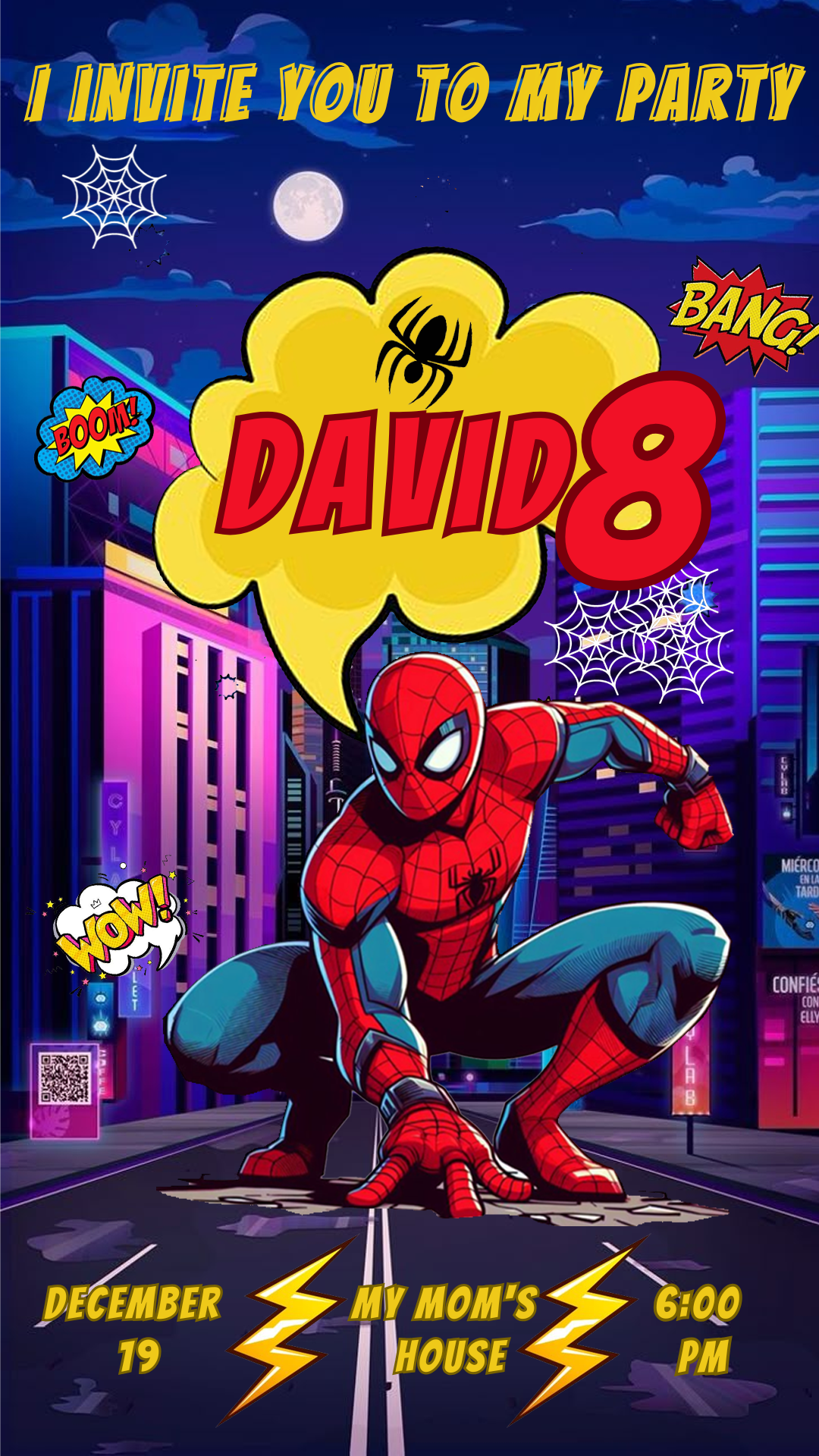
Prepare for an epic, web-slinging celebration! If your little hero is obsessed with Marvel’s friendly neighborhood Spider-Man, you need an invitation that captures the high-flying excitement. We are thrilled to offer you a Spider-Man Invitation Card editable in Canva, completely free to access and ready for instant personalization. Forget about expensive designers or complicated software; use this template to create a unique, superhero-themed invitation that will thrill all your guests.
Why Choose an Editable Canva Template?
The main advantage of using a Canva template is its excellent accessibility and extreme ease of use—no need for advanced skills or costly desktop software like Adobe Photoshop. Canva is a free, web-based tool, meaning you can edit the template right from your browser, tablet, or phone. Its simple drag-and-drop system allows you to modify text, colors, images, and backgrounds quickly and easily, ensuring your invitation is perfectly customized in minutes.
Main Features of This PSD Template
Our Spider-Man invitation template was designed with action and editing efficiency in mind. It features the iconic blue and red colors, dynamic poses of the web-slinger, and a clear, organized layout. The design is optimized for both printing and digital sharing. Since all the elements and fonts are readily available within the Canva platform’s resources, the editing process is fast and seamless.
How to Personalize Your Plantilla PSD
Follow these simple steps to customize the invitation for your superhero celebration:
- Descarga el Archivo (Get the Link): Click the download button to get the direct link to the Canva template.
- Descomprímelo (Skip This Step): This step is unnecessary for Canva templates. Simply click the link and proceed.
- Abre el archivo PSD (Open the Template): Click the link and then hit the “Use Template” button. Canva will automatically open an editable copy of the template in your account.
- Instala la fuente (No Installation Needed): The fonts used are included in the standard Canva library and will load automatically.
- Edita las capas y textos (Edit Layers and Texts): Click on any text box to change the name, age, date, time, venue address, and any other event details. You can easily swap out Spider-Man images or colors.
- Guarda y exporta (Save and Export): Once your design is finished, go to the “Share” button at the top right, and select “Download.” Choose PDF Print for the highest quality printing or PNG/JPG for digital sharing.
Consejos (Tips)
- Color Scheme: Stick to the classic red, blue, and black for an authentic superhero feel.
- Clarity: Use bold, dynamic fonts for the important party details (date and time) to grab guests’ attention.
- Digital Share: Use Canva’s social media optimization options if you plan to send the invitation via messaging apps or platforms.
Preguntas frecuentes (Frequently Asked Questions)
- Do I need to install Photoshop? No! This template is designed exclusively for Canva and does not require any desktop design software.
- Are the fonts included? Yes, all fonts are readily available in the Canva library and apply automatically when you open the template.
- Is the template really free? Yes, this template is available for use and download completely free of charge.
Llamado a la acción para editar (Call to Action for Editing)
It’s time for the amazing party! Download your Spider-Man Invitation Card template editable in Canva now and create a high-flying, action-packed invitation that your guests will love. Your perfect design is ready to be customized!




