
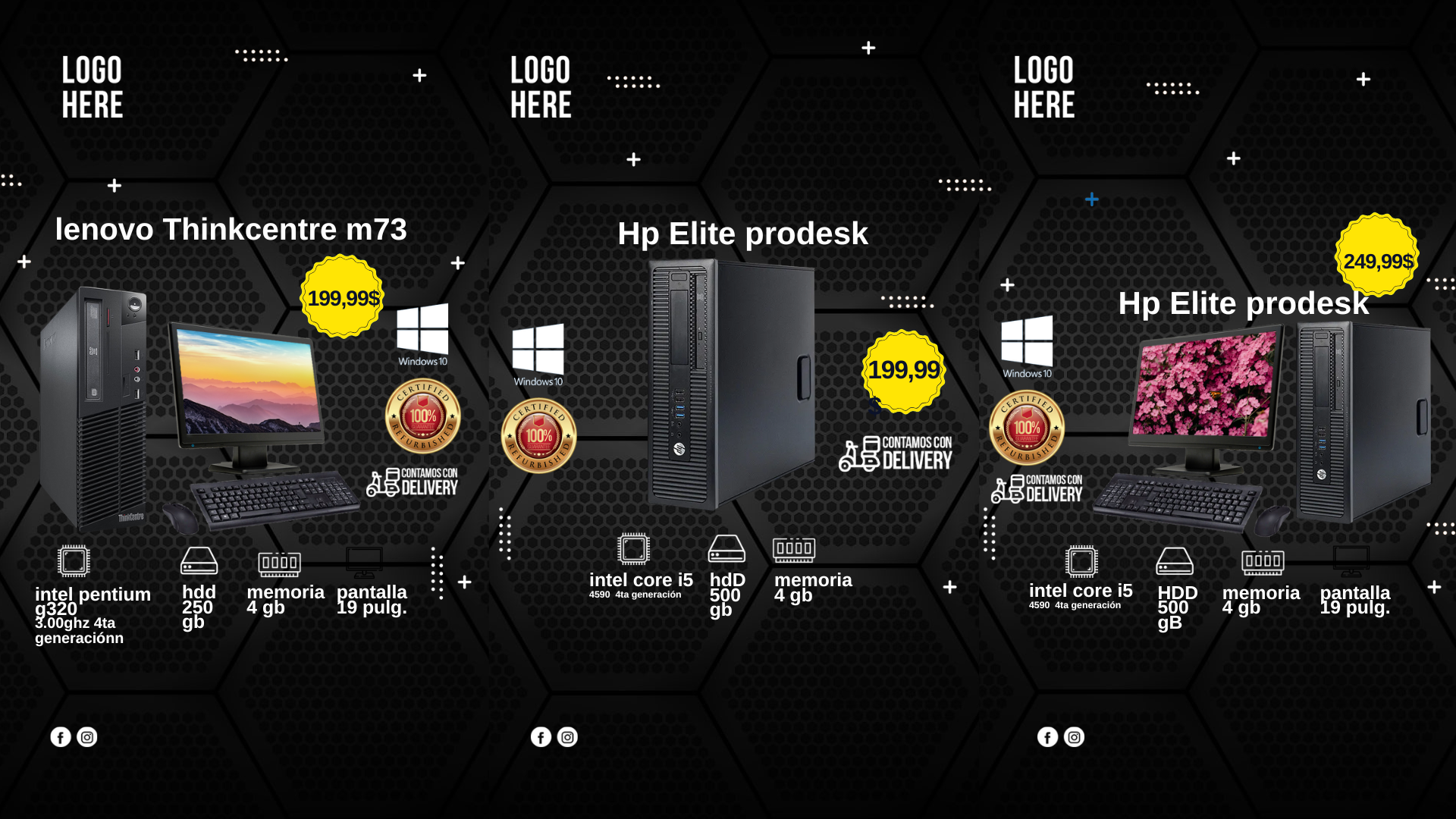
To run a successful online promotion, especially for a computer sale, your visual marketing needs to be top-tier. Many seek the simplicity of the phrase “Banner para oferta de computadoras editable en canva,” but smart marketers know that for maximum quality, flexibility, and resolution, a layered PSD template is the only choice. We present our professional-grade Computer Sale Banner PSD template—the ultimate alternative for those who demand precise, fully customizable design control using Adobe Photoshop.
Why Choose an Editable PSD Template?
While online editors offer convenience, a PSD (Photoshop Document) template provides the technical muscle required for truly professional assets:
- Layered Control: Every element—text, images, backgrounds, and effects—is placed on a separate, labeled layer, ensuring non-destructive and highly organized editing.
- High Resolution: PSD files maintain maximum resolution and color depth, ensuring your banner looks sharp and professional, whether online or printed.
- Industry Standard: Utilize Adobe Photoshop, the industry-standard software, to achieve design results that stand out from mass-produced web graphics.
Note: To successfully use and edit this template, you must have Adobe Photoshop installed on your system.
Key Features of This PSD Template
Our banner template is designed specifically to drive conversions for your computer sale offers:
- Sale Focus: Layouts are visually structured to highlight key information like discounts, limited-time offers, and final pricing.
- Fully Customizable: Easily change the color scheme, fonts, background images, and product photos to align with your current campaign and branding.
- Organized File: The PSD file is clean, well-grouped, and labeled, making customization fast even for those new to Photoshop.
How to Customize Your PSD Template
Follow these steps to quickly and effectively tailor the banner for your specific computer sale:
Descarga el Archivo:
Download the compressed ZIP file containing your template from our secure template bank.
Descomprímelo:
Extract the contents of the ZIP file. You will find the main .psd file and a crucial .txt document.
Abre el archivo PSD:
Launch Adobe Photoshop and open the main .psd file.
Instala la fuente:
Crucial Step: The fonts used in this professional design are not included with the download. Open the included .txt document. It contains the external download links for the necessary fonts. You must install these fonts before attempting to edit the text in Photoshop. For detailed instructions on installation, please watch our video tutorial, ensuring it opens in a new tab so you stay on our template page:
Click here for the font installation video tutorial (Opens in a new tab)
Edita las capas y textos:
Using the Layers panel in Photoshop, double-click the text layers to enter your specific sale details, discount percentages, and call-to-action text.
Guarda y exporta:
Save a master copy as a .psd file. For use on your website, go to File > Export > Export As… (or Save for Web (Legacy)) and save the final image as an optimized JPG or PNG.
Consejos (Tips)
- Contrast is Key: Use bold, high-contrast colors (e.g., bright red on a dark background) for the discount amount to maximize visibility.
- Product Photography: Use only high-quality, professional photos of the computers being offered in the sale.
- A/B Test CTAs: Test different calls to action (e.g., “Buy Now,” “View Deals,” or “Save 50%”) to see which one performs best.
Preguntas frecuentes (FAQ)
Q: Can I edit this template using the online Canva editor?
A: No. Although the popular search term is “Banner para oferta de computadoras editable en canva,” this file is a PSD format, requiring Adobe Photoshop for professional editing capabilities.
Q: I am getting a font error in Photoshop. What should I do?
A: You likely skipped the font installation step. Close the PSD, download the fonts using the links in the .txt file, install them on your system, and then reopen the PSD.
Q: Is the PSD file easy to use for beginners?
A: Yes, the file is organized and labeled. However, basic working knowledge of Adobe Photoshop layers is required




