
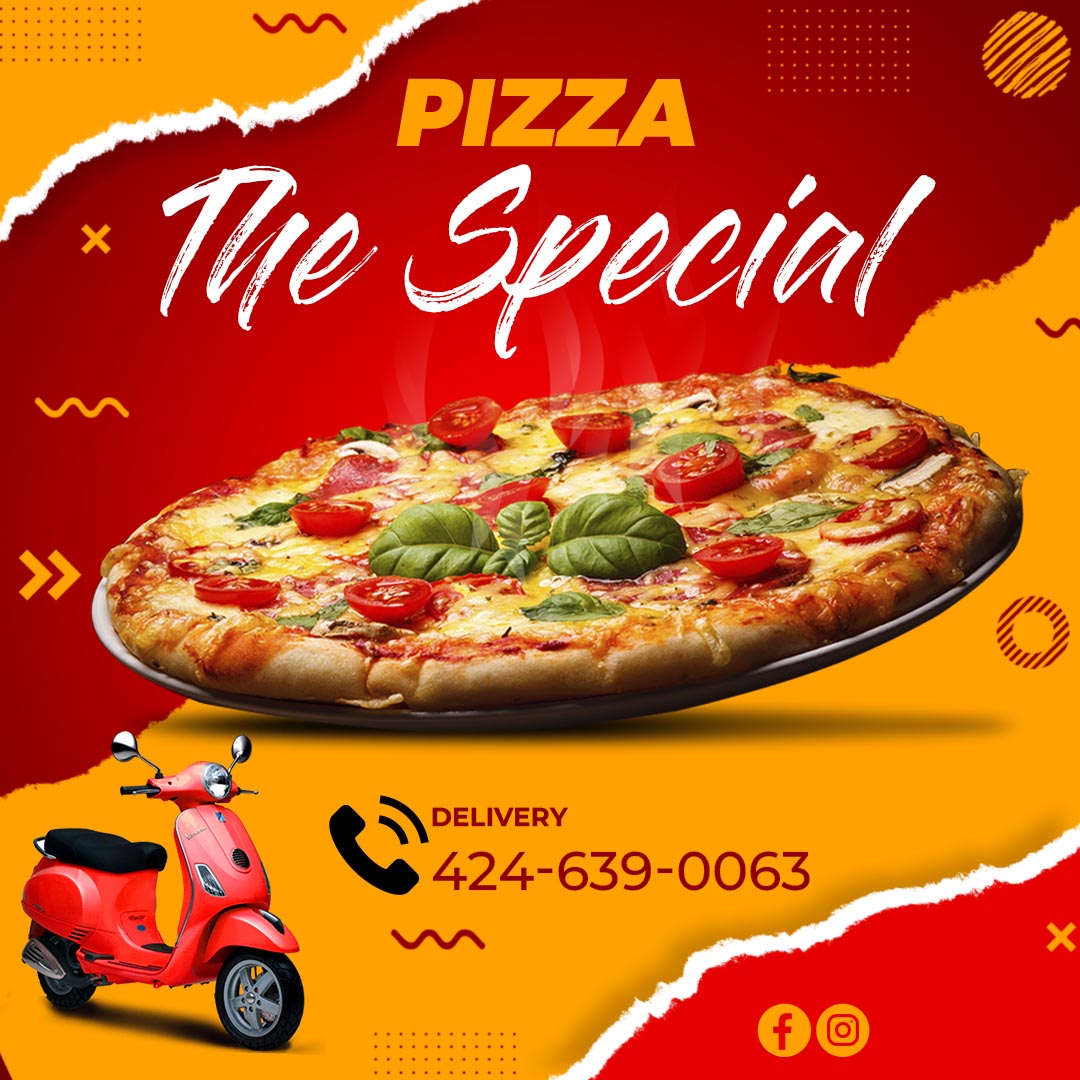
Looking for a delicious way to promote your pizza business or event? Our collection of free pizza flyer template psd download offers a fantastic solution! These professionally designed templates are available for free download and are fully editable in Adobe Photoshop, allowing you to create mouth-watering flyers to attract hungry customers.
Why Choose a Free Editable PSD Template?
Opting for a free pizza flyer template psd download is a smart and cost-effective way to market your pizza offerings. PSD files, the native format for Adobe Photoshop, provide complete creative control. You can easily customize text, colors, images, and layouts to perfectly match your brand and specific pizza promotions. Our free download templates save you money and time while providing a high-quality starting point for your marketing efforts.
Main Features of This Free PSD Template
Our free pizza flyer template psd download templates come with a range of beneficial features:
- Appetizing Pizza Designs: Featuring a variety of attractive layouts specifically designed to showcase pizzas and food promotions.
- Fully Layered PSD Files: Each design element, including pizza images, text, and graphic elements, is organized on separate, clearly labeled layers for easy identification and modification within Photoshop.
- Editable Text Layers: Easily update all text elements with your pizza names, descriptions, prices, special offers, restaurant information, and compelling calls to action.
- Image Placeholders: Simple-to-use placeholders allow you to seamlessly insert your own high-quality photos of your delicious pizzas.
- Print-Ready Resolution: Templates are often designed with high resolution settings (typically 300 DPI) to ensure crisp and professional printing results.
- CMYK Color Mode: Files are typically set up in CMYK color mode, the standard for professional printing.
- Bleed and Guides: Many templates include bleed areas and guides to ensure proper printing and trimming.
- Font Link Included: A dedicated text file within the download provides a direct link to download the specific fonts used in the design (fonts are not embedded in the PSD file due to licensing restrictions).
- Font Installation Tutorial Link: For users who are new to Photoshop or need a refresher, we’ve included a link to a helpful video tutorial on how to install fonts for use in Photoshop: https://www.youtube.com/watch?v=XE5jgJ0KnwA (Opens in a new tab).
How to Personalize Your PSD Template
Customizing your free pizza flyer template psd download in Adobe Photoshop is an easy process. Follow these steps to create your perfect pizza promotion:
Download the File:
Download the ZIP file containing the free pizza flyer template psd download and the accompanying font link file.
Unzip the File:
Extract the contents of the ZIP file to access the .PSD template and the text file with the font link.
Open the PSD File:
Open the .PSD file using Adobe Photoshop on your computer.
Install the Font:
Open the .txt file containing the font link. Follow the provided link to download and install the fonts used in the template. If you need assistance, refer to our font installation tutorial: https://www.youtube.com/watch?v=XE5jgJ0KnwA (Opens in a new tab). Ensure the fonts are installed before proceeding with editing.
Edit the Layers and Texts:
In Photoshop, navigate to the “Layers” panel. Locate the text layers you wish to modify and use the Type Tool (T) to input your specific pizza names, prices, and promotional messages. Adjust the font size, color, and alignment as needed. To showcase your delicious pizzas, locate the image placeholders or smart objects and use the “Place” command (File > Place) to insert your high-quality photos. Resize and reposition them within the designated areas. Feel free to adjust colors of other design elements to match your brand.
Save and Export:
Once you have customized your free pizza flyer template psd download:
- Save: Save your work as a
.PSDfile to retain all editable layers for future modifications. - Export for Print: Go to “File” > “Save As” and choose a print-ready format such as
.PDF. Ensure your color settings are CMYK and that bleed and trim marks are included if required by your printing service. - Export for Digital Sharing: Go to “File” > “Export” > “Save for Web (Legacy)” or “File” > “Export As” and choose a web-friendly format like
.JPEGor.PNG. Optimize the image size and quality for online viewing and sharing on social media.
Tips for Creating Mouth-Watering Pizza Flyers
- Install Fonts First: Always install the provided fonts before opening the PSD file to ensure the text displays correctly.
- Use High-Quality Pizza Photos: Appetizing images are essential for food promotion.
- Clearly Highlight Your Offers: Make sure any special deals or promotions are easily visible.
- Include a Strong Call to Action: Tell customers what you want them to do (e.g., “Order Now,” “Visit Us Today,” “Limited Time Offer”).
- Provide Essential Information: Include your restaurant name, address, phone number, and website (if applicable).
- Maintain Brand Consistency: Use your brand’s colors and logo for recognition.
- Proofread Carefully: Double-check all text for any errors before printing or distributing.
Frequently Asked Questions
- Do I need Adobe Photoshop to edit these templates? Yes, our pizza flyer templates are provided in PSD format and require Adobe Photoshop for editing.
- Are these pizza flyer templates really free? Yes, the templates mentioned in this article are available for free download on our website.
- Are the pizza images included in the download? The inclusion of pizza images may vary depending on the template. Placeholders are usually provided for easy insertion of your own photos.
- Are the fonts included in the download? No, due to licensing restrictions, the fonts are not included directly in the PSD file. However, a text file with a download link is provided.
- What if I don’t know how to install fonts? We have included a link to a helpful video tutorial to guide you through the font installation process: https://www.youtube.com/watch?v=XE5jgJ0KnwA (Opens in a new tab).
- What is CMYK color mode and why is it important for printing? CMYK (Cyan, Magenta, Yellow, Key/Black) is the standard color model used for commercial printing. Ensuring your file is in CMYK helps to achieve accurate color reproduction when printed.
Download Your Free Pizza Flyer PSD Template and Start Boosting Sales!
Get the word out about your delicious pizzas with our professionally designed and free pizza flyer template psd collection. Download your favorite template now and start attracting hungry customers to your business!
Download “#0038 free pizza flyer template psd download” free-pizza-flyer-template-psd-download.jpg – Downloaded 129 times – 221.71 KB




