
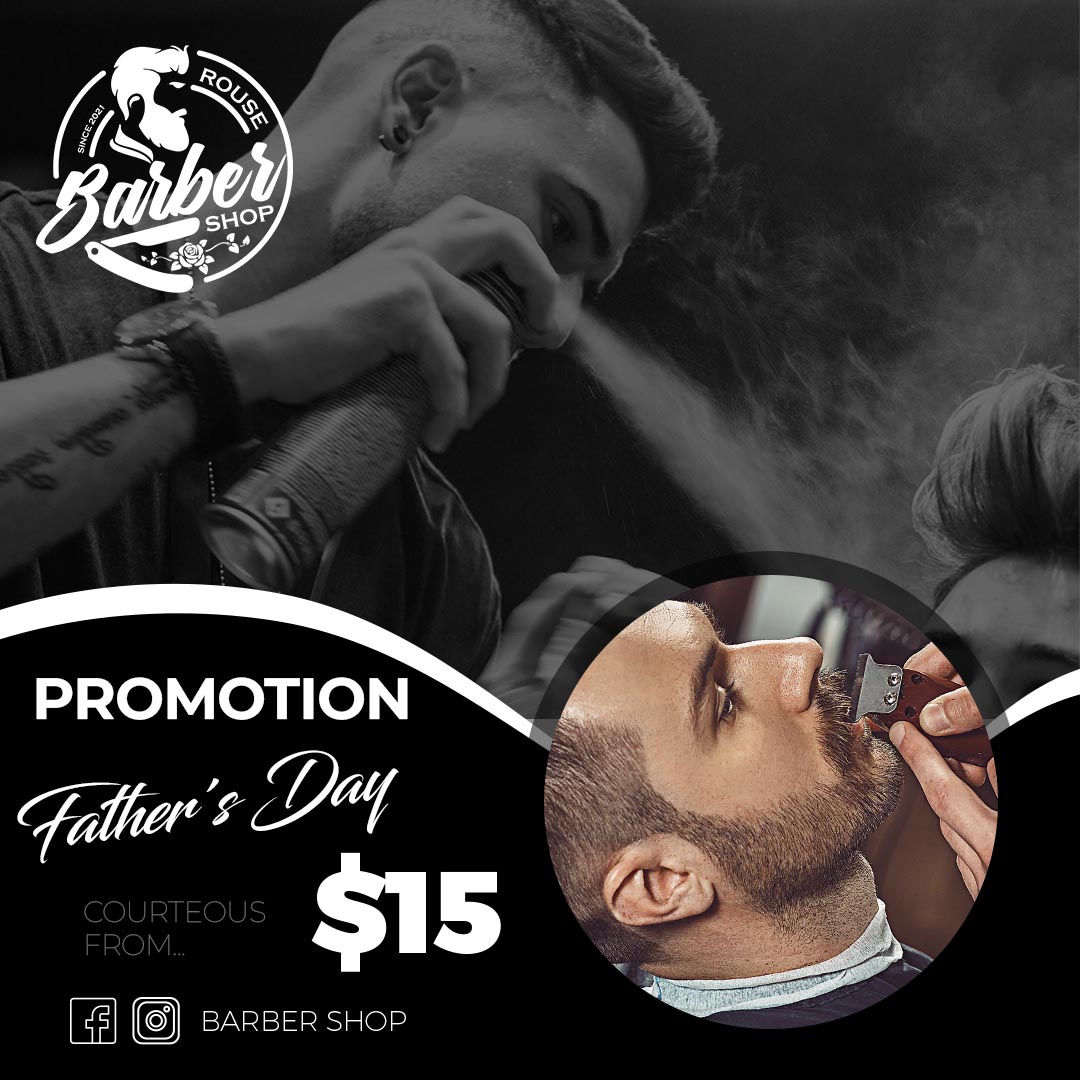
Looking to promote your barbershop and attract new clients? Our collection of Flyer de barberia en PSD templates offers a professional and customizable solution for your marketing needs. Designed for seamless editing in Adobe Photoshop, these templates provide the flexibility and high quality required to create eye-catching flyers for both print and digital distribution, helping you showcase your services and special offers.
Why Choose an Editable PSD Template?
For barbershop owners who want complete creative control and professional-quality promotional materials, a Flyer de barberia en PSD template is the perfect choice. PSD files, the native format for Adobe Photoshop, allow for intricate modifications to every design element. Whether you’re advertising haircuts, beard trims, special deals, or your shop’s unique atmosphere, PSD templates offer the ultimate flexibility for a tailored and impactful flyer.
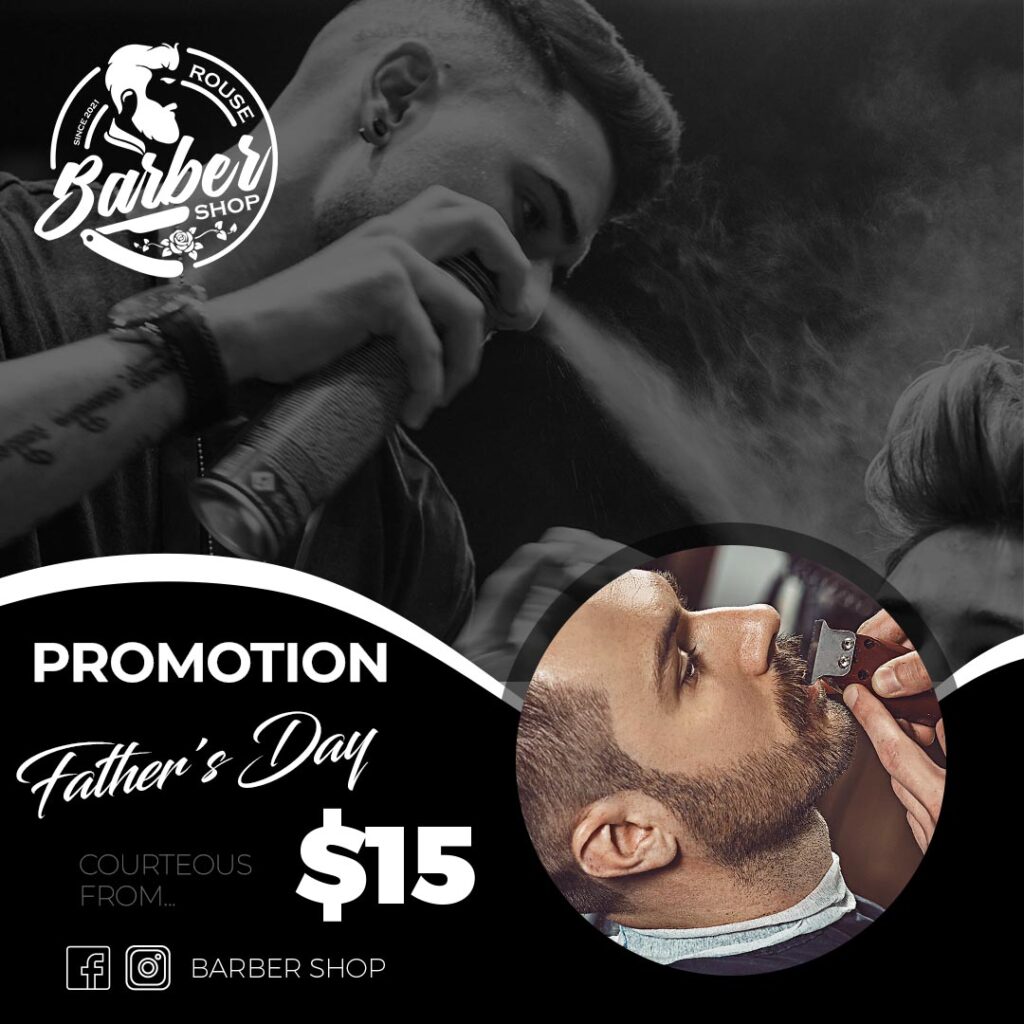
Main Features of This PSD Template
Our Flyer de barberia en PSD templates come equipped with a range of professional features for a streamlined customization process:
- Stylish and Masculine Designs: Featuring a variety of classic and modern layouts suitable for barbershops.
- Fully Layered PSD Files: Providing complete control over individual design elements within Adobe Photoshop.
- Editable Text Layers: Easily personalize your flyers with service names, prices, discounts, shop information, contact details, and calls to action.
- Organized Layers: Ensuring a clean and efficient editing workflow within Photoshop.
- Print-Ready Resolution: Designed with high resolution to guarantee crisp and professional printing results.
- CMYK Color Mode: Optimized for professional printing standards, ensuring accurate color reproduction.
- Bleed Areas Included: Templates typically include bleed areas to prevent white edges after trimming.
- Image Placeholders: Easily insert high-quality photos of haircuts, beard styles, your shop’s interior, or your team.
- Font Link Included: A dedicated text file within the download provides a direct link to download the specific fonts used in the design (fonts are not embedded in the PSD).
- Font Installation Tutorial Link: For users who may be new to Photoshop, we’ve included a link to a helpful video tutorial on how to install fonts for use in Photoshop: https://www.youtube.com/watch?v=XE5jgJ0KnwA (Opens in a new tab).
How to Personalize Your PSD Template
Customizing your Flyer de barberia en PSD template in Adobe Photoshop is a straightforward process for users familiar with the software. Follow these steps to create your effective promotional flyers:
Download the File:
Download the ZIP file containing the Flyer de barberia en PSD template and the accompanying font link file.
Unzip the File:
Extract the contents of the ZIP file to access the .PSD template and the text file with the font link.
Open the PSD File:
Open the .PSD file using Adobe Photoshop on your computer.
Install the Font:
Open the .txt file containing the font link. Follow the provided link to download the fonts used in the template. If you’re unsure how to install fonts, watch this helpful video tutorial: https://www.youtube.com/watch?v=XE5jgJ0KnwA (Opens in a new tab). Make sure to install the fonts before editing the text layers in Photoshop.
Edit the Layers and Texts:
In Photoshop, navigate the “Layers” panel. You’ll find organized layers for text, images, and other design elements.
- Edit Text: Locate the text layers and use the Type Tool (T) to change service names, prices, special offers, shop hours, contact information, and calls to action.
- Replace Images: Locate the image placeholders and insert high-quality photos that showcase your barbershop’s style and services.
- Adjust Colors: Modify the color swatches and layers to match your barbershop’s branding and create a visually appealing aesthetic.
- Move and Resize Elements: Fine-tune the layout by moving and resizing various design elements to highlight key information.
Save and Export:
Once you’re satisfied with your customized Flyer de barberia en PSD template:
- Save: Save your work as a
.PSDfile to retain all editable layers for future updates. - Export for Print: Go to “File” > “Save As” and choose a print-ready format like
.PDF. Ensure the document settings are set to CMYK color mode and include bleed areas. Consult your printing service for their specific requirements. - Export for Digital Sharing: Go to “File” > “Export” > “Save for Web (Legacy)” or “File” > “Export As” and choose a web-friendly format like
.JPGor.PNGfor sharing online or via social media.
Tips for Effective Barbershop Flyers
- Install Fonts First: Always install the provided fonts before opening the PSD file to ensure the text layers display correctly.
- Showcase Your Best Services: Highlight your signature haircuts, beard trims, or special packages.
- Include a Clear Call to Action: Tell potential clients what you want them to do (e.g., “Book Your Appointment!”, “Walk-Ins Welcome!”, “Special Offer Inside!”).
- Provide Easy-to-Find Contact Information: Make it simple for clients to reach you (address, phone number, website, social media).
- Use High-Quality Images: Visually appealing photos of your work and shop are crucial.
- Maintain Brand Consistency: Use your barbershop’s logo, colors, and overall style for brand recognition.
- Proofread Carefully: Double-check all text for any errors before printing or distributing.
Frequently Asked Questions
- Do I need Adobe Photoshop to use these templates? Yes, these templates are in PSD format and require Adobe Photoshop for editing.
- Are the fonts included in the download? No, the fonts are not included in the PSD file due to licensing restrictions. However, a
.txtfile with a download link for the fonts is provided. - What if I don’t know how to install fonts? We’ve included a link to a helpful video tutorial on how to install fonts for use in Photoshop: https://www.youtube.com/watch?v=XE5jgJ0KnwA (Opens in a new tab).
- What is CMYK color mode? CMYK is the standard color mode for professional printing. Ensure your final print file is in CMYK.
Get More Clients with a Professional Barbershop Flyer PSD!
Ready to create captivating flyers that bring more customers to your barbershop? Explore our collection of Flyer de barberia en PSD templates and start customizing your promotions today! Let your stylish designs speak volumes about your services.
Download “#0028 Barbershop Flyer PSD: Professional Templates for Your Shop” 0018.zip – Downloaded 96 times – 6.37 MB




