
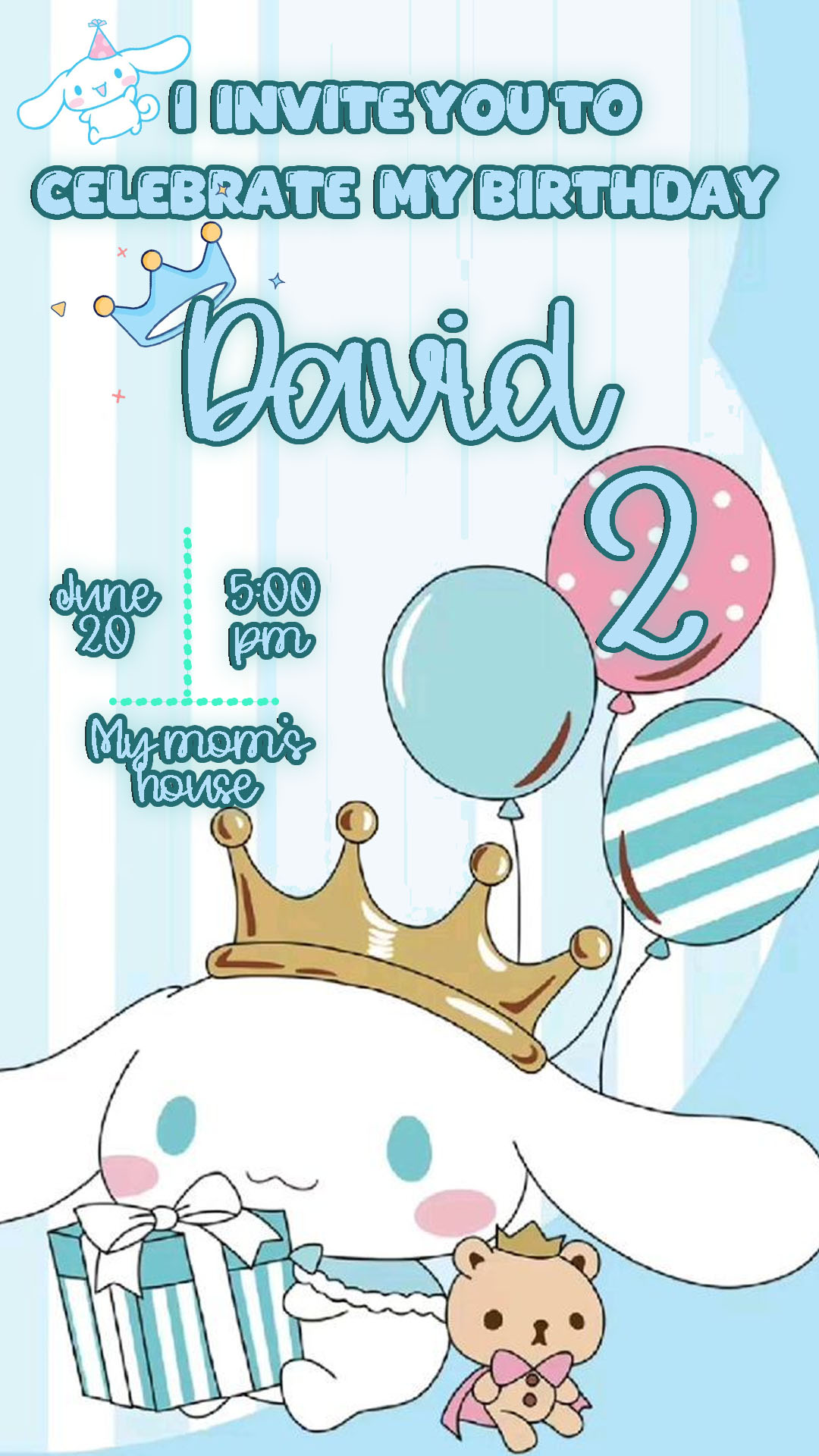
If you’re organizing a celebration centered on the theme of the adorable flying puppy, Cinnamoroll, you need an invitation that is as sweet and charming as he is! We offer you a Cinnamoroll birthday card template editable in Canva, completely free to access and ready for instant personalization. Forget complex design software; design a kawaii invitation that will delight all your guests and fill them with cuteness.
Why Choose an Editable Canva Template?
The main advantage of using a Canva template is its extreme ease of use and accessibility. You don’t need advanced design knowledge or expensive software like Adobe Photoshop. Canva is a free, web-based tool, meaning you can edit the template directly from your browser, tablet, or mobile phone. Its simple drag-and-drop system lets you modify text, colors, and images quickly and easily, ensuring your invitation is unique without any hassle.
Main Features of This PSD Template
Our Cinnamoroll birthday template was designed with a focus on its soft aesthetic and efficiency. It features the character’s signature gentle style and pastel colors, and is perfectly organized. The design is optimized for both printing and digital sharing. All elements, including the fonts, are either included in the template or are standard Canva resources, making the editing process fast and seamless.
How to Personalize Your PSD Template
Follow these simple steps to customize the invitation for your celebration:
- Descarga el Archivo (Get the Link): Click the download button to get the direct link to the Canva template.
- Descomprímelo (Skip This Step): This step is unnecessary. Just click the link and proceed to the next step.
- Abre el archivo PSD (Open the Template): Click the link and then hit the “Use Template” button. Canva will automatically open an editable copy of the template in your account.
- Instala la fuente (No Installation Needed): The fonts used are part of the standard Canva library and will load automatically when you open the template.
- Edita las capas y textos (Edit Layers and Texts): Click on any text box to change the name of the birthday person, age, date, time, address, and any other event details.
- Guarda y exporta (Save and Export): Once your design is finished, go to the “Share” button at the top, and select “Download.” Choose your preferred format (PNG or JPG for digital sending, or PDF Print for printing).
Tips
- Be Legible: Ensure critical information (date, time, location) is easy to read, maintaining good contrast with the pastel colors.
- Personalize: You can add a photo of the birthday person in a themed frame for an extra touch.
- Verify: Carefully check all the data before downloading and sending the invitations.
Frequently Asked Questions
- Do I need to install Photoshop? No! This template is designed exclusively for Canva and does not require any desktop design software.
- Are the fonts included? Yes, all fonts are available in the Canva library and apply automatically.
- Is the template really free? Yes, this template is available for use and download completely free of charge.
Call to Action for Editing
Stop wasting time designing from scratch! Download your Cinnamoroll birthday card template editable in Canva now and create a unique, memorable invitation in minutes. Your perfect design is ready.




