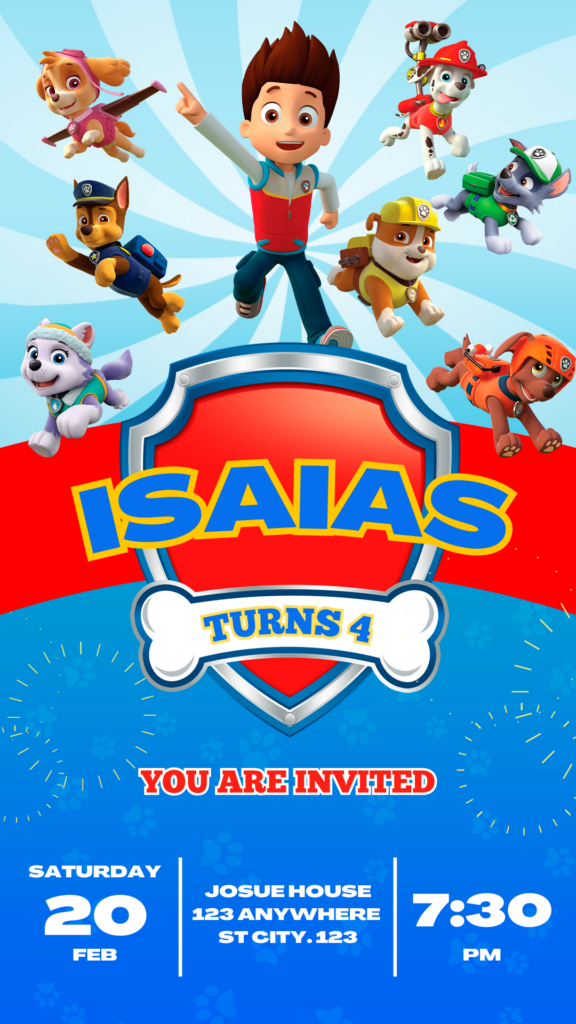
Planning a PAW Patrol-themed birthday party? The perfect PAW Patrol birthday invitation template can set the stage for an unforgettable celebration. In this article, you’ll discover how to create stunning, personalized invitations using editable Canva templates. Whether you want to print them or send them digitally, these templates offer flexibility and ease of use.
Why Choose an Editable Canva Template?
Canva templates simplify the design process, allowing you to create professional-looking invitations without any design experience. Here’s why they’re a fantastic choice:
- Ease of Use: Canva’s intuitive interface makes customization a breeze.
- Versatility: Templates are designed for both printing and digital sharing.
- Creativity: Unleash your imagination and personalize every detail.
- Cost-Effective: Save money on custom design services.
- Time saving: Create a great design in minutes.
Key Features of This Canva Template
Our PAW Patrol birthday invitation templates come packed with features to make your creation process enjoyable:
- High-resolution graphics for crisp prints.
- Editable text and image placeholders.
- A variety of PAW Patrol-themed elements.
- Templates optimized for standard invitation sizes.
- Easy digital sharing.
How to Customize Your Template
Personalizing your PAW Patrol birthday invitation is a straightforward process:
Select the File.
Click on the link that will redirect you to the canva template.
Open and Edit
Once in Canva, you can change the text, colors, and images. Add the birthday child’s name, age, and party details. Drag and drop elements to create your unique design.
Save, Share, or Print:
After customizing, save your design. You can then download it for printing or share it directly from Canva via email or social media.
Tips
- Use high-quality images for the best results.
- Match the invitation’s colors to your party’s theme.
- Add personal touches, like favorite PAW Patrol characters.
- If you are going to print the invitation, use a good quality cardboard.
- If you are going to send the card digitally, make sure the text can be easily read on mobile devices.
Frequently Asked Questions
- Can I use these templates if I don’t have Canva Pro?
- Yes, most elements are available with a free Canva account.
- Can I change the size of the invitation?
- Yes, Canva allows you to resize your designs.
- Are the templates suitable for all ages?
- Yes, you can customize the templates to suit any age group.
Call to Action to Edit.
Ready to create the perfect PAW Patrol birthday invitation? Click here to access our editable Canva templates and start designing now! Make their birthday a paw-some celebration!