Planning a Minecraft-themed birthday party? The perfect Minecraft birthday card can set the stage for an unforgettable celebration. In this article, you’ll discover how to create stunning, personalized cards using editable Canva templates. Whether you want to print them or send them digitally, these templates offer flexibility and ease of use.
Why Choose an Editable Canva Template?
Canva templates simplify the design process, allowing you to create professional-looking cards without any design experience. Here’s why they’re a fantastic choice:
- Ease of Use: Canva’s intuitive interface makes customization a breeze.
- Versatility: Templates are designed for both printing and digital sharing.
- Creativity: Unleash your imagination and personalize every detail.
- Cost-Effective: Save money on custom design services.
- Time saving: Create a great design in minutes.
Key Features of This Canva Template
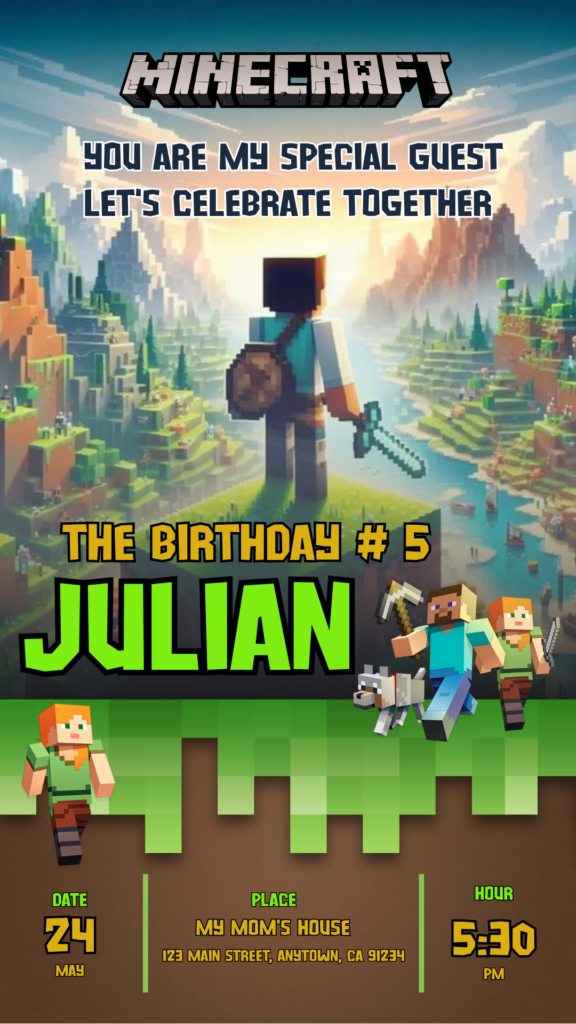
Our Minecraft birthday card templates come packed with features to make your creation process enjoyable:
- High-resolution graphics for crisp prints.
- Editable text and image placeholders.
- A variety of Minecraft-themed elements.
- Templates optimized for standard card sizes.
- Easy digital sharing.
How to Customize Your Template
Personalizing your Minecraft birthday card is a straightforward process:
Select the File.
Click on the link that will redirect you to the canva template.
Open and Edit
Once in Canva, you can change the text, colors, and images. Add the birthday person’s name, age, and a special message. Drag and drop elements to create your unique design.
Save, Share, or Print:
After customizing, save your design. You can then download it for printing or share it directly from Canva via email or social media.
Tips
- Use high-quality images for the best results.
- Match the card’s colors to your party’s theme.
- Add personal touches, like inside jokes or favorite Minecraft characters.
- If you are going to print the card, use a good quality cardboard.
- If you are going to send the card digitally, make sure the text can be easily read on mobile devices.
Frequently Asked Questions
- Can I use these templates if I don’t have Canva Pro?
- Yes, most elements are available with a free Canva account.
- Can I change the size of the card?
- Yes, Canva allows you to resize your designs.
- Are the templates suitable for all ages?
- Yes, you can customize the templates to suit any age group.
Call to Action to Edit.
Ready to create the perfect Minecraft birthday card? Click here to access our editable Canva templates and start designing now! Make their birthday a block-tastic celebration!