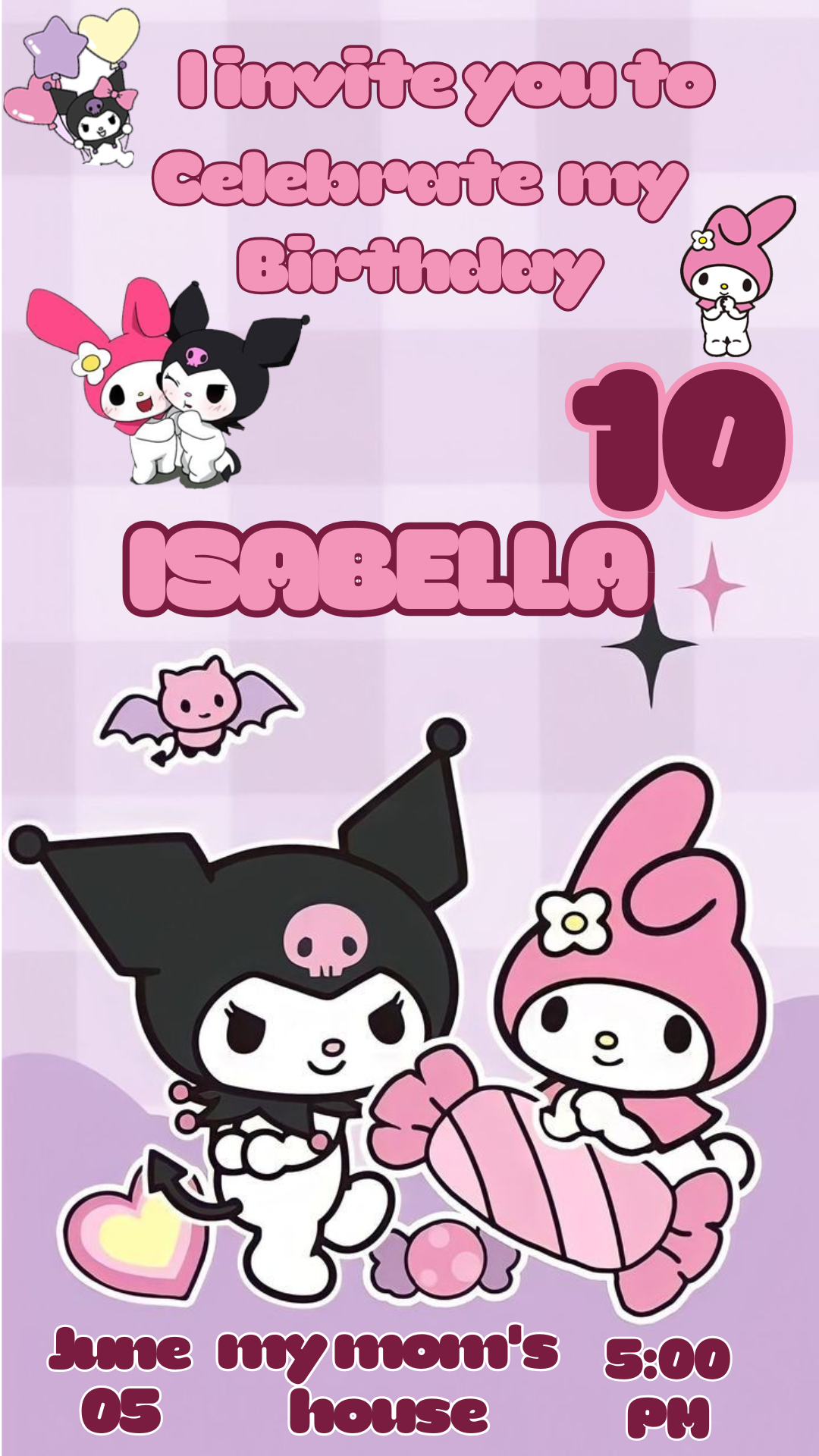
Are you planning the ultimate kawaii party featuring the beloved Sanrio characters, Kuromi and My Melody? You need an invitation that perfectly captures their charming dynamic! We offer you a Kuromi and My Melody invitation template editable in Canva, completely free to download via a direct link and ready to customize instantly. Forget complicated software and create a unique, adorable invitation that will set the perfect tone for your celebration.
Why Choose an Editable Canva Template?
The greatest advantage of using a Canva template is its accessibility and ease of use. You don’t need any special design skills or expensive software. Canva is a free, web-based tool, meaning you can edit the template directly from your browser, tablet, or phone. This drag-and-drop capability allows you to modify text, colors, images, and backgrounds effortlessly, ensuring your invitation is personalized exactly how you want it, all without ever touching Adobe Photoshop.
Main Features of This Canva Template
Our Kuromi and My Melody template has been designed for maximum customization and fun. It features a delightful layout that beautifully integrates both characters, includes vibrant, contrasting colors, and is fully organized. The template is sized perfectly for social media sharing or high-quality printing. All elements—including the fonts—are either included with the design or use standard Canva library assets, making the editing process quick and seamless.
How to Personalize Your Canva Template
Follow these super simple steps to adapt the invitation to your event:
- Obtén el Enlace de Canva (Get the Canva Link): Click the download button to receive the direct link to the template.
- Abre el Enlace de Canva (Open the Canva Link): Click the link. Canva will prompt you to “Use Template.” Click this button to open a personalized copy in your account.
- Edita las capas y textos (Edit Layers and Texts): Once the template is open, simply click on any text box to change the name of the birthday person, age, date, time, and address. You can also easily swap out images or change colors if desired.
- Guarda y exporta (Save and Export): When your design is complete, click the “Share” button in the top right corner, then select “Download.” Choose your preferred format (PNG or JPG for sharing digitally, or PDF Print for high-quality printing).
Tips
- Keep It Readable: Ensure the event details (date, time, location) are highly visible, especially if you change the background color.
- Test the Colors: If you modify the color palette, make sure the colors still complement the Kuromi and My Melody characters.
- Share Easily: Canva allows you to share directly to social media or send an email link, making distribution fast and convenient!
Frequently Asked Questions
- Do I need to install Photoshop? No! This template is designed specifically for Canva and requires no installed software.
- Are the fonts included? Yes, the fonts used are from the standard Canva library and are included when you open the template link.
- Is the template really free? Yes, this template is available for download and use completely free of charge, though a free Canva account is required for editing.
Call to Action for Editing
Stop stressing over design! Download your Kuromi and My Melody invitation template editable in Canva now and create an adorable, custom invitation in minutes. Your perfect party design is ready to go!