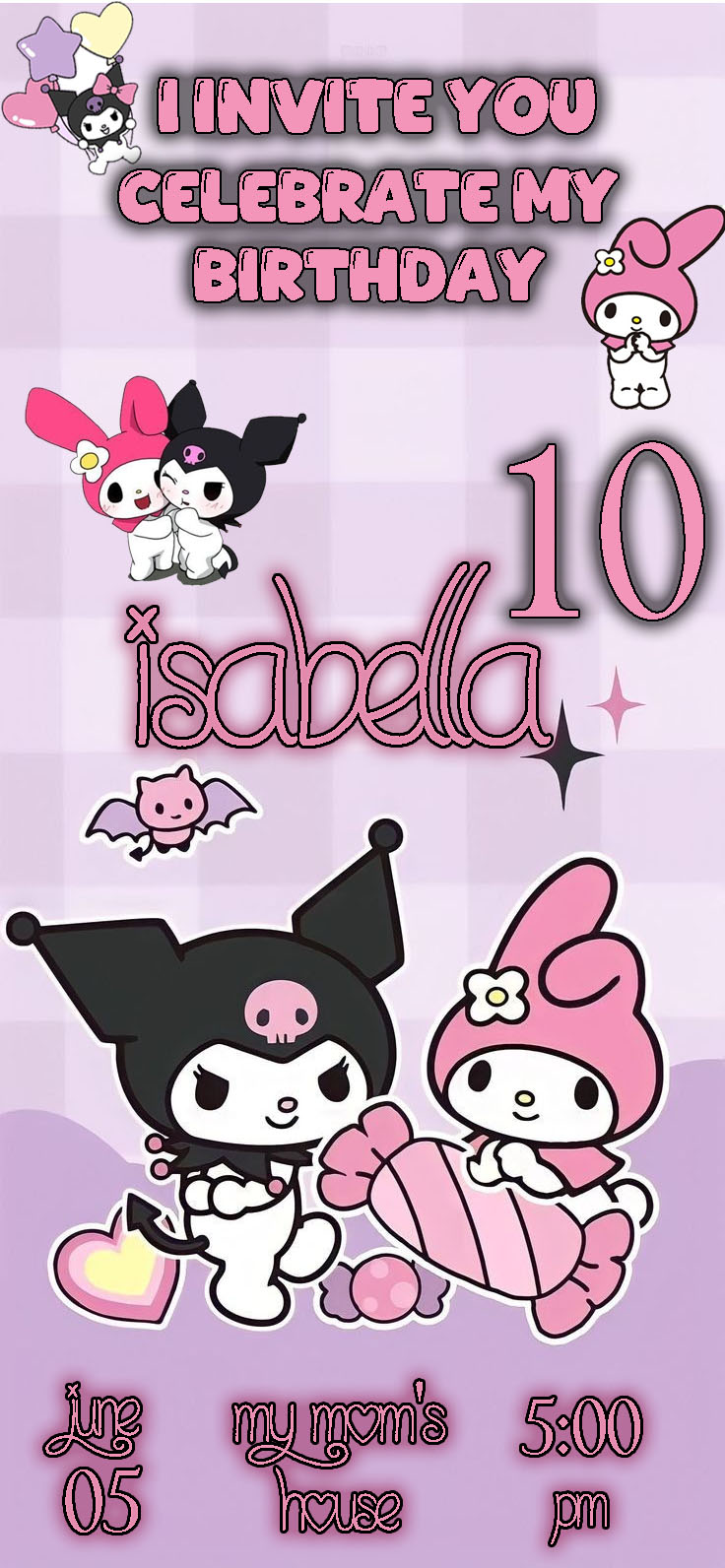
Are you planning a party for a fan of the iconic Sanrio duo, Kuromi and My Melody? You need an invitation that captures the perfect blend of their contrasting yet charming styles! We offer you a Kuromi and My Melody invitation card editable in PSD template, completely free to download and ready to customize. Forget generic designs and create a unique, kawaii-themed invitation that will delight all your guests and set the stage for a memorable celebration.
Why Choose an Editable PSD Template?
The versatility of a PSD (Photoshop Document) format template is its biggest advantage. Unlike a simple static image file, a PSD gives you complete control over every design element. This means you can easily modify text, colors, images, and backgrounds to perfectly match your event details and party theme. To use this template, all you need is the Adobe Photoshop program installed on your computer.
Main Features of This PSD Template
Our Kuromi and My Melody invitation template has been designed with both aesthetics and ease of use in mind. It features a delightful design that incorporates both characters, vibrant colors, and perfectly organized layers, which simplifies the editing process. The high resolution of the file is ideal for both printing and digital distribution. All elements are on separate, clearly named layers, giving you full creative freedom.
How to Personalize Your PSD Template
Follow these simple steps to adapt the invitation to your event:
- Descarga el Archivo (Download the File): Click the download button to get the compressed file.
- Descomprímelo (Unzip It): Use a program like WinRAR or 7-Zip to extract all the content from the folder.
- Abre el archivo PSD (Open the PSD File): Locate the main file with the “.psd” extension and open it directly in Adobe Photoshop.
- Instala la fuente (Install the Font): The template does not include the fonts, but inside the folder, you will find a text document (
.txt) with the download links. If you don’t know how to install them, we recommend watching this video tutorial that will guide you step-by-step: How to Install Fonts for Photoshop (make sure the link opens in a new tab so you don’t leave the page). - Edita las capas y textos (Edit Layers and Texts): Use the layers panel to select and modify the text fields. Change the name of the birthday person, age, date, time, address, and any other event details.
- Guarda y exporta (Save and Export): Once your design is ready, go to “File > Save As” to save the final result in your preferred format (JPG or PNG for sharing digitally, or PDF for printing).
Tips
- Be Clear and Concise: Ensure that the event details (date, time, location) are easy to read and stand out.
- Personal Touch: If desired, replace a section of the design with a photo of the birthday person to make it even more unique.
- Proofread: Double-check all important information for spelling errors before exporting.
Frequently Asked Questions
- Is the template compatible with other software? No, you need Adobe Photoshop to edit this PSD template.
- Can I change the colors? Yes, the layers are editable, allowing you to change the colors of the elements to better suit your preference.
- Is the template really free? Yes, this template is available for download and use completely free of charge.
Call to Action for Editing
Don’t waste any more time creating a design from scratch! Download your Kuromi and My Melody invitation card editable in PSD now and start creating a memorable and adorable invitation. Your perfect design is just a few clicks away!
Download “Free Download: Kuromi and My Melody Invitation Card Editable in PSD” 0012.zip – Downloaded 137 times – 2.09 MB