Planning a birthday party for a fan of the mischievous and adorable Kuromi? Our Kuromi birthday invitation templates offer a fun and easy way to invite guests to a unique celebration. Designed for use with Canva, these templates are fully customizable, ensuring your invitations capture Kuromi’s playful spirit.
Why Choose an Editable Canva Template?
Canva’s user-friendly platform makes designing invitations a breeze, even if you’re not a design expert. Choosing our Kuromi birthday invitation templates on Canva offers several benefits:
- Ease of Use: No complicated software needed! Simply drag, drop, and edit text, colors, and images to create your perfect invitation.
- Unique Kuromi Designs: Our templates feature fun and eye-catching Kuromi graphics that will delight any fan of the character.
- Printable & Digital Options: Whether you prefer the traditional feel of printed invitations or the convenience of digital sharing, our templates work for both.
- Cost-Effective: Creating your own personalized invitations with Canva templates is a budget-friendly way to achieve a professional look without spending a lot of money.
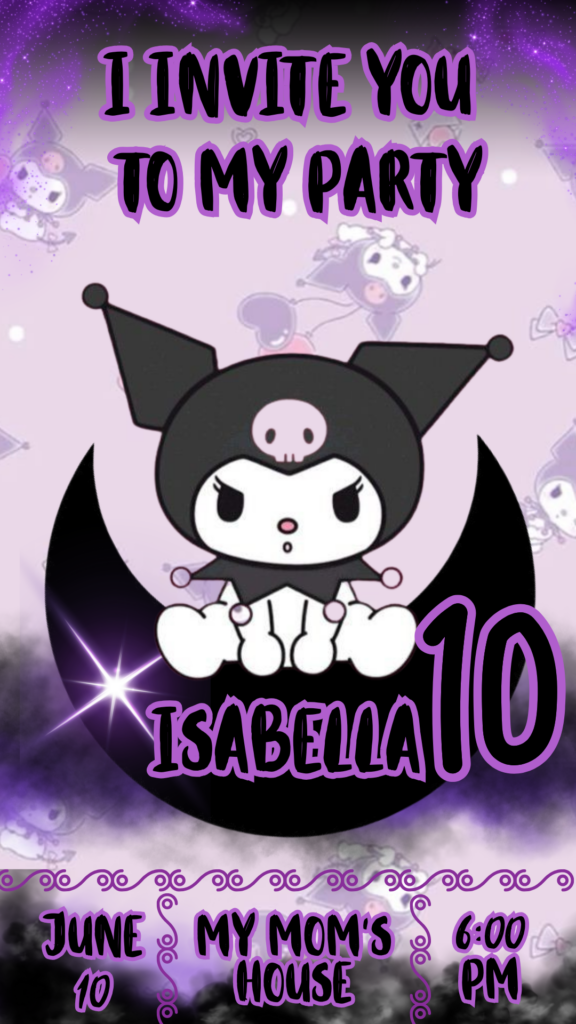
Key Features of this Canva Template
Our Kuromi birthday invitation templates are designed with fun and flair, including:
- High-resolution graphics featuring Kuromi in various playful poses and with her signature devilish charm.
- Eye-catching layouts that are easy to personalize with all your party details.
- Clearly marked editable text fields, making it simple to add the birthday child’s name, age, date, time, location, and RSVP information.
- Options to upload your own photos to add a personal touch to your Kuromi invitation.
How to Customize Your Template
Personalizing your Kuromi birthday invitation in Canva is a simple and enjoyable process:
- Select the File: Choose the Kuromi birthday invitation template that best fits the vibe of your party.
- Open and Edit: Click the link to open the template directly in your Canva account (or create a free account if you’re new to Canva). Here, you can start customizing every element of the design.
- Save, Share, or Print: Once your invitation looks just right, you can save it as a high-resolution PDF for crisp printing or download it as a JPG or PNG for easy sharing online.
Tips for a Cool Kuromi Invitation
- Embrace Kuromi’s Colors: Use a color palette that includes black, purple, pink, and maybe some edgy accents.
- Choose Fun Fonts: Select fonts that are playful and a little bit mischievous to match Kuromi’s personality.
- Incorporate Kuromi Graphics: Make sure the Kuromi graphics are prominent and fun!
- Clearly Communicate Details: Double-check all the important party information before finalizing your invitations.
Frequently Asked Questions
- Q: Can I print these Kuromi invitations at home?
- A: Yes! Simply download your customized template as a PDF and print it on your home printer using cardstock for the best results.
- Q: Do I need a Canva Pro subscription to use these templates?
- A: No, our templates are designed to be fully editable using a free Canva account.
- Q: Can I send these invitations digitally?
- A: Absolutely! Download your finished design as a JPG or PNG file for easy sharing via email, social media, or messaging apps.
- Q: Can I change the size of the invitation?
- A: Yes, Canva offers options to resize your design if needed, although our templates are typically set to standard invitation sizes.
Call to Action to Edit
Ready to throw a super cool Kuromi birthday bash? Click here to explore our Kuromi birthday invitation templates and start designing your unique invites in Canva today!