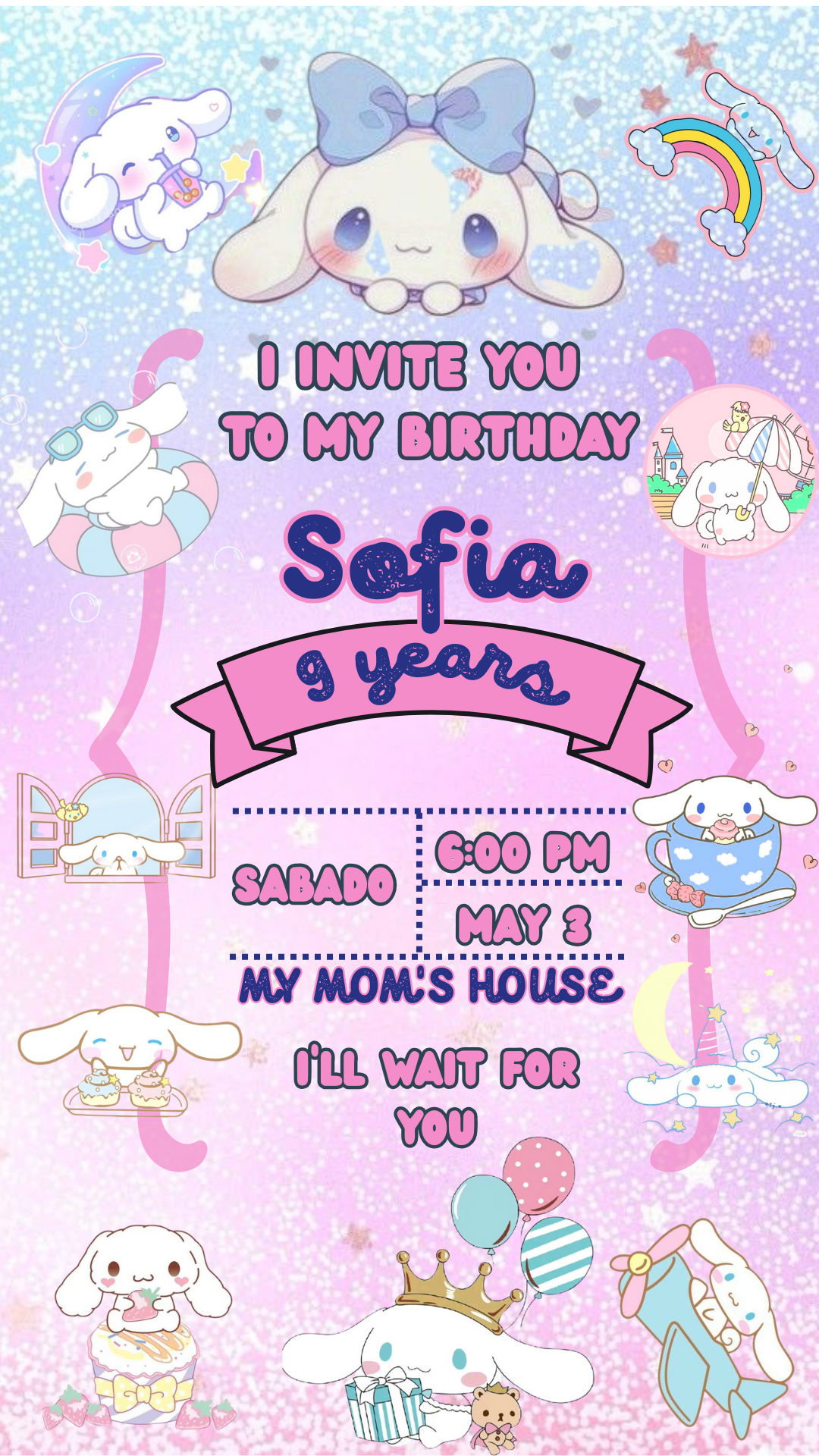
Planning a birthday party for a fan of the super cute and fluffy Cinnamoroll? Our Cinnamoroll birthday invitation templates offer a delightful and easy way to invite guests to a sweet celebration. Designed for use with Canva, these templates are fully customizable, ensuring your invitations capture Cinnamoroll’s adorable charm.
Why Choose an Editable Canva Template?
Canva’s user-friendly platform makes designing invitations a piece of cake! Choosing our Cinnamoroll birthday invitation templates on Canva offers several sweet benefits:
- Effortless Design: No design skills needed! Simply drag, drop, and edit text, colors, and images to create your perfect invitation in minutes.
- Adorable Cinnamoroll Themes: Our templates feature charming Cinnamoroll graphics that will surely bring a smile to everyone’s face.
- Printable & Digital Convenience: Whether you prefer the classic feel of printed invitations or the ease of digital sharing, our templates are perfect for both.
- Budget-Friendly Fun: Creating your own personalized invitations with Canva templates is a sweet way to save money while still achieving a professional and adorable look.
Key Features of this Canva Template
Our Cinnamoroll birthday invitation templates are designed with cuteness and ease of use in mind, including:
- High-resolution graphics featuring Cinnamoroll in various sweet poses and with his signature cinnamon roll-like tail.
- Delightful and easy-to-personalize layouts that will showcase all your party details beautifully.
- Clearly marked editable text fields, making it super simple to add the birthday child’s name, age, date, time, location, and RSVP information.
- Options to upload your own photos to add an extra personal touch to your Cinnamoroll invitation.
How to Customize Your Template
Personalizing your Cinnamoroll birthday invitation in Canva is as easy as enjoying a warm cinnamon roll:
- Select the File: Choose the Cinnamoroll birthday invitation template that best captures the sweetness of your celebration.
- Open and Edit: Click the link to open the template directly in your Canva account (or create a free account if you’re new to Canva). Here, you can start customizing every element of the design.
- Save, Share, or Print: Once your invitation looks absolutely perfect, you can save it as a high-resolution PDF for crisp printing or download it as a JPG or PNG for easy sharing online.
Tips for a Sweet Cinnamoroll Invitation
- Embrace Soft Colors: Use a sweet and gentle color palette that includes pastel blues, pinks, whites, and creams to match Cinnamoroll’s aesthetic.
- Choose Cute Fonts: Select fonts that are playful, friendly, and easy to read, adding to the overall sweetness of the invitation.
- Incorporate Cinnamoroll Graphics: Make sure the adorable Cinnamoroll graphics are the star of the show!
- Clearly Communicate All Details: Double-check all the important party information to ensure your guests have all the necessary details.
Frequently Asked Questions
- Q: Can I print these Cinnamoroll invitations at home?
- A: Yes! Simply download your customized template as a PDF and print it on your home printer using quality cardstock for the best results.
- Q: Do I need a Canva Pro subscription to use these templates?
- A: No, our templates are designed to be fully editable using a free Canva account.
- Q: Can I send these invitations digitally?
- A: Absolutely! Download your finished design as a JPG or PNG file for easy sharing via email, social media, or messaging apps.
- Q: Can I change the size of the invitation?
- A: Yes, Canva offers options to resize your design if needed, although our templates are typically set to standard invitation sizes.
Call to Action to Edit
Ready to create the sweetest Cinnamoroll birthday invitations? Click here to explore our Cinnamoroll birthday card templates and start designing your adorable invites in Canva today!