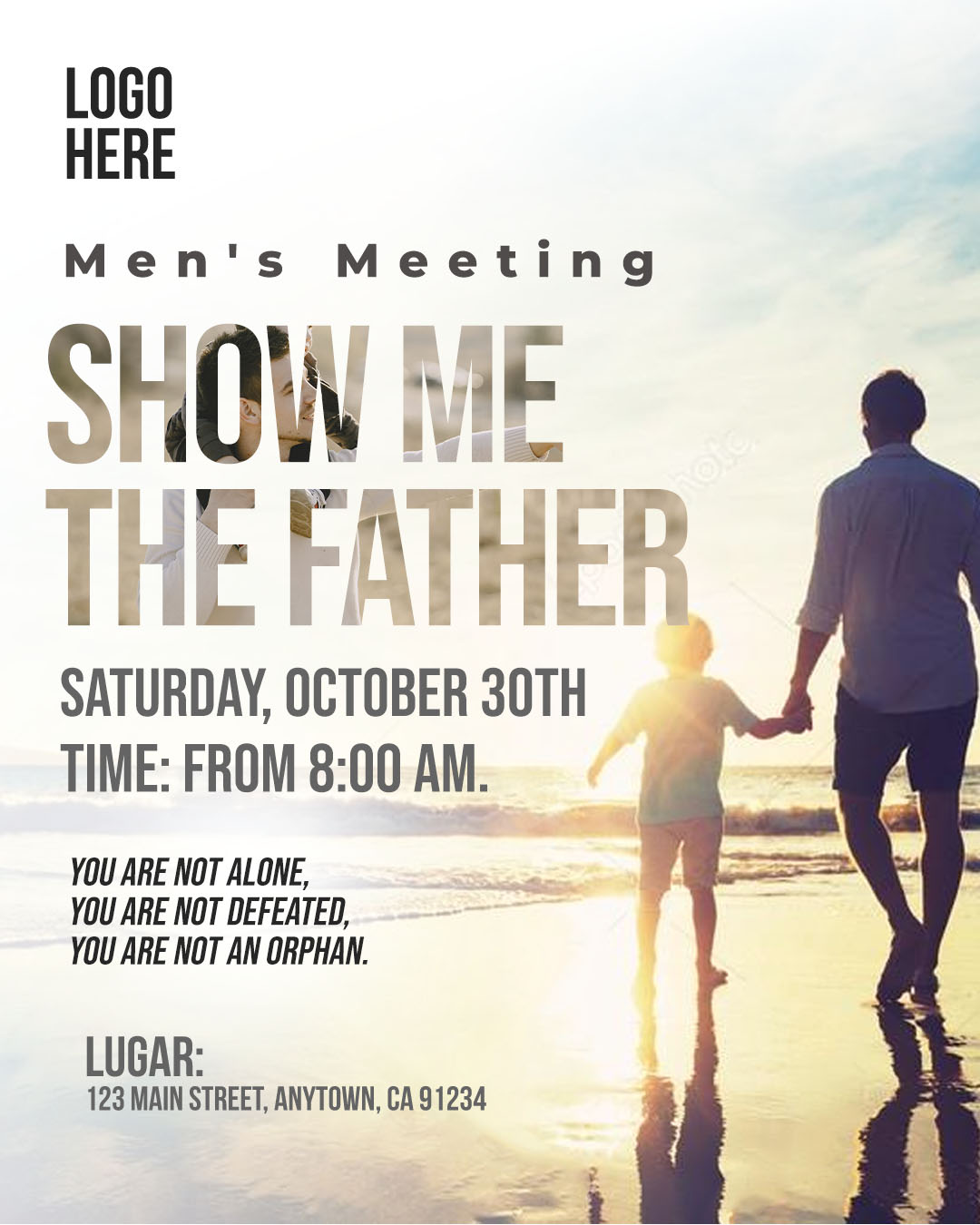
Organizing a retreat, conference, or men’s meeting requires visual promotion that inspires seriousness and attracts attendees. If you searched for “Flyer encuentro de hombres editable en canva y psd,” you need the ultimate design solution: a versatile template available in professional and accessible formats. We present a premium template available in two formats: the powerful PSD file for advanced desktop editing and the practical Canva version for quick online changes. This versatility allows you to adapt the design to any theme—from spiritual retreats to leadership conferences—with the certainty that your flyer will look professional, whether printed or digital.

¿Por qué elegir una plantilla editable PSD? (Why Choose Our PSD and Canva Template?)
Opting for this dual-format package is the best decision to ensure the visual success of your men’s meeting:
- Total Creative Control (PSD): Use the PSD file and Adobe Photoshop for advanced handling of layers, textures, and lighting effects, giving your flyer unparalleled depth.
- Agility and Access (Canva): The Canva version is ideal for volunteers or team members who need to make quick updates to the date, time, or location without needing to install software.
- Maximum Versatility: The design is optimized to project strength and leadership, using dark colors and powerful typography, ideal for a masculine event theme.
Note: To fully utilize the layers and resolution of the PSD file, Adobe Photoshop must be installed on your computer. The Canva template is accessible from any web browser.
Características principales de esta plantilla PSD (Key Features of This PSD Template)
This template has been designed with the effective promotion of a men’s meeting in mind:
- Leadership Aesthetic: Predominance of dark colors (black, navy blue, gray) with high-contrast accents (white or gold) for a strong and formal look.
- Defined Spaces: Clear, highlighted areas for the main speaker, the event theme, and the key date.
- Smart Photo Layers: Pre-set layers that facilitate placing an inspiring background image (mountains, groups of men, etc.).
Cómo personalizar tu plantilla PSD (How to Customize Your PSD Template)
Below is the process for customizing the professional PSD file of your Flyer encuentro de hombres editable en canva y psd:
Descarga el Archivo (Download the File):
Download the compressed ZIP file containing your template from our resource bank.
Descomprímelo (Unzip It):
Extract the contents of the ZIP file. You will find the PSD template file, the link to the Canva template, and a crucial text document (.txt).
Abre el archivo PSD (Open the PSD File):
Open the main template file using Adobe Photoshop.
Instala la fuente (Install the Font):
Vital Step: The impactful and professional fonts used in the flyer design are not included in the file due to licensing. You must open the accompanying .txt document, which provides external links to download the necessary typefaces. You must install these fonts on your computer before editing the text layers in Adobe Photoshop. For assistance with the process, please ensure you open this video tutorial in a new tab:
Click here for the font installation video tutorial (Opens in a new tab)
Edita las capas y textos (Edit Layers and Texts):
Use the Layers panel in Adobe Photoshop to modify the event title, speaker name, agenda, cost, and contact/registration details.
Guarda y exporta (Save and Export):
Save the final design as a high-quality PDF for printing or as an optimized JPG/PNG for sharing on WhatsApp groups, social media, and email.
Consejos (Tips)
- Inspiring Photography: Use a background image that conveys the essence of the event (e.g., if it’s faith-based, use a symbolic image; if it’s business, use a skyline).
- Legibility: Make sure the registration text and crucial information are clearly readable over dark colors.
- Mention the Objective: If the event has a clear purpose (growth, healing, leadership), use a compelling subtitle on the flyer.
Preguntas frecuentes (FAQ)
Q: Can I use this template for a youth gathering?
A: Yes. You can easily change the color palette to brighter tones and the typography to a more youthful style.
Q: Does the PSD file allow me to change the background images?
A: Absolutely. The file is set up with Smart Objects so that image replacement is quick and easy.
Q: Can I use the Canva version for posting on Instagram?
A: Yes. The Canva template allows you to adapt the dimensions for Instagram and Facebook posts and stories.
Llamado a la acción para editar (Call to Action)
Start promoting your event today! Download the Flyer encuentro de hombres editable en canva y psd now and make your meeting a resounding success.
[DOWNLOAD FREE MEN’S MEETING FLYER TEMPLATE]
Download “#0450 Download PSD file here” 0450.zip – Downloaded 0 times – 8.58 MB